
rom_flash_cw2
Table of Contents
Rom flashing for Casio Classwiz II
1. Required programmer
As for now this manual show how to flash rom using one of these two official Lapis/OKI branded programmers:
2. Pinout and connections
Description of test pads on ClassWiz II (click to enlarge):
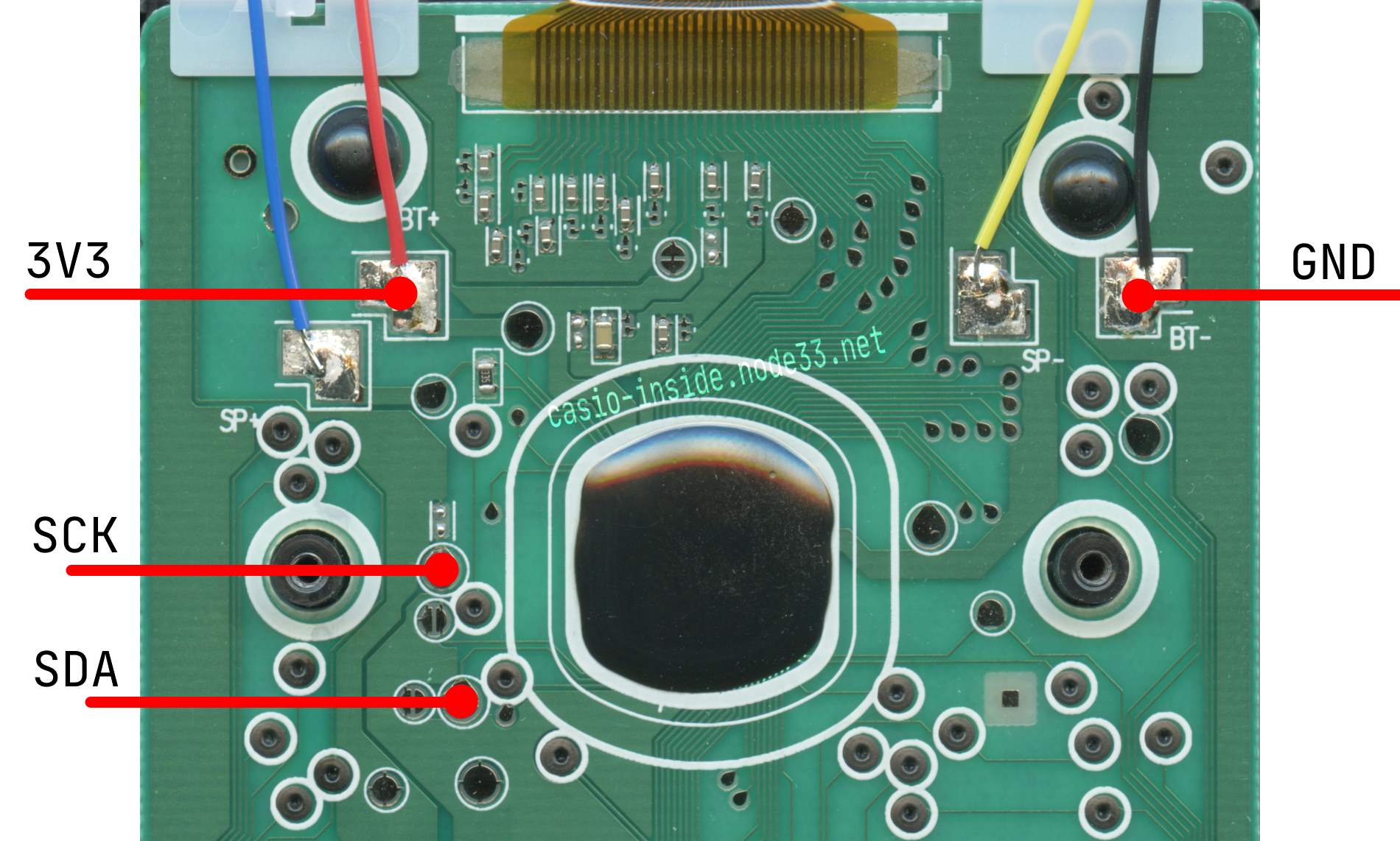
In this series of calculators you don't need VPP to flash! Connect just 3V3, GND, SCK and SDA
3. Preparing environment
- Download and install LEXIDE-Ω development tools.
- Download additional target definitions and copy to corresponding directories in
C:\U8Dev\
4. Flashing
- Run MWU16 Multiple Flash Writer
- When asked for Security ID select second option Initialize Flash memory and security settings:

- If asked for target then select ML62Q000 → Casio Classwiz II → ML620909
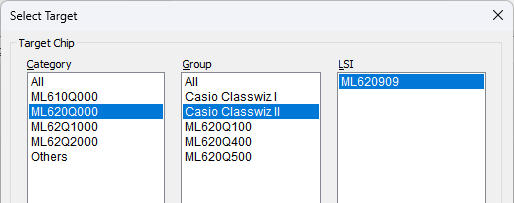
- If you have different target selected you can change it in main window by clicking Change Target button
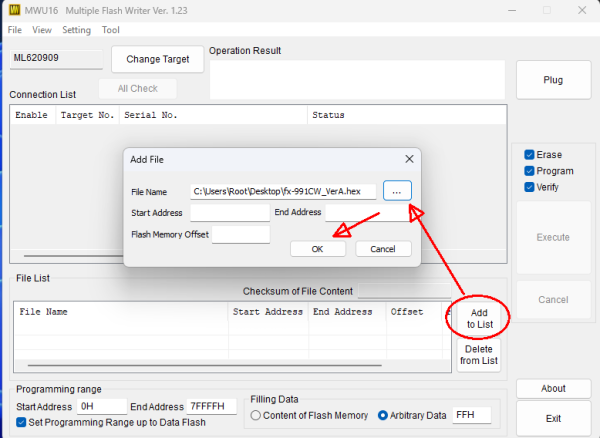
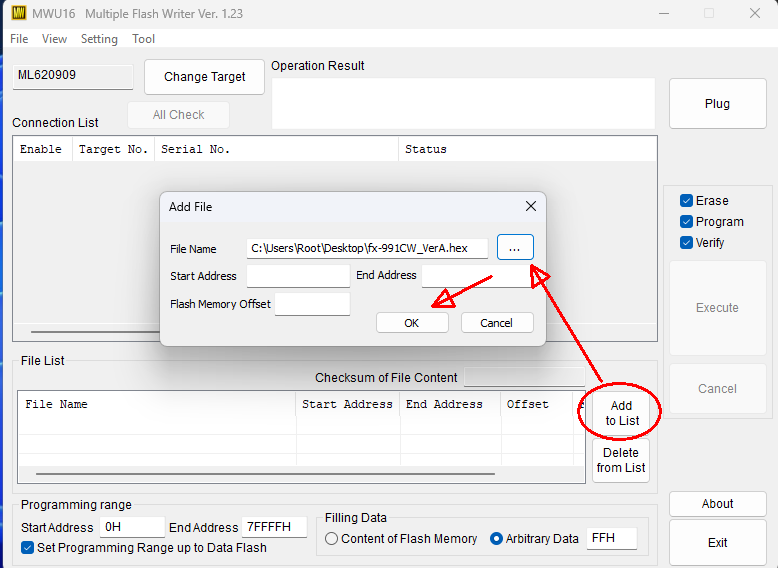
- Select Hex file with flash by clicking Add to list then select hex file with desired rom:
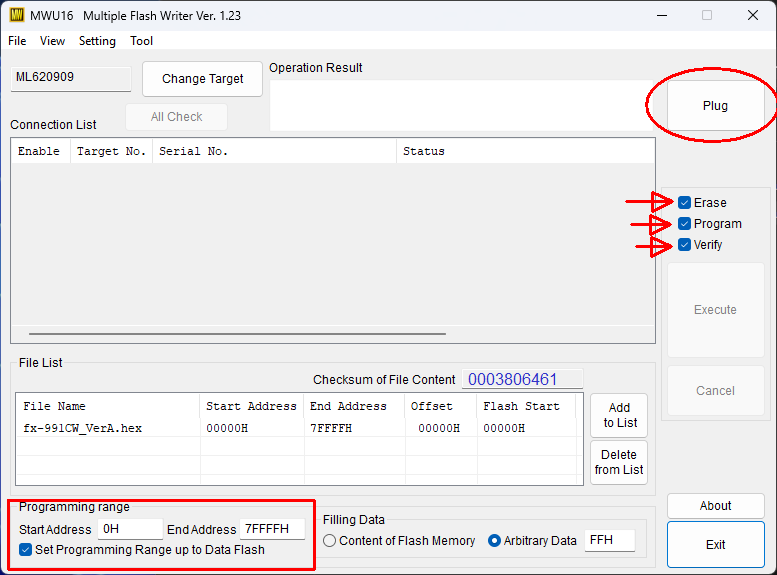
- If your window looks like below you can click Plug
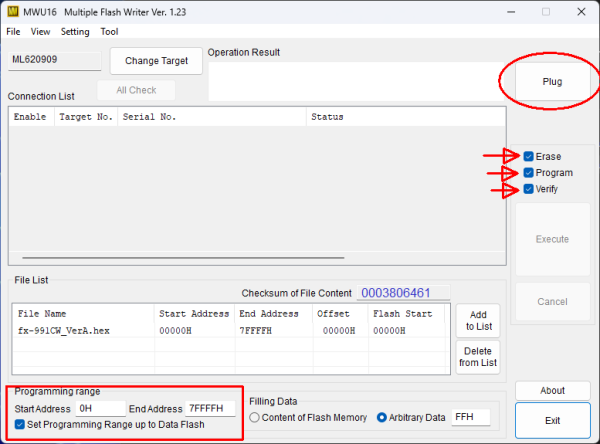
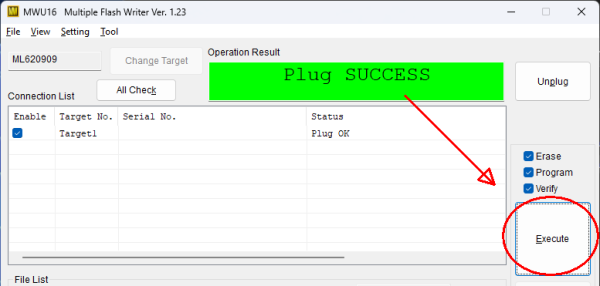
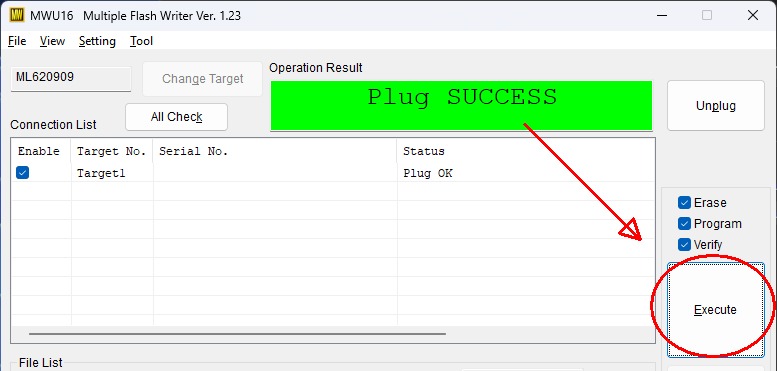
- Then if you see message Plug SUCCESS then click Execute
- Now wait.
- Even if you see Verify Failure message - don't worry. Try to start calculator and check!
This happens because we still need to make corrections in .TRG file and include Test area (which is not flashable) in it so it wont raise an verification error in future.
rom_flash_cw2.txt · Last modified: 2024/07/12 19:53 by cfx